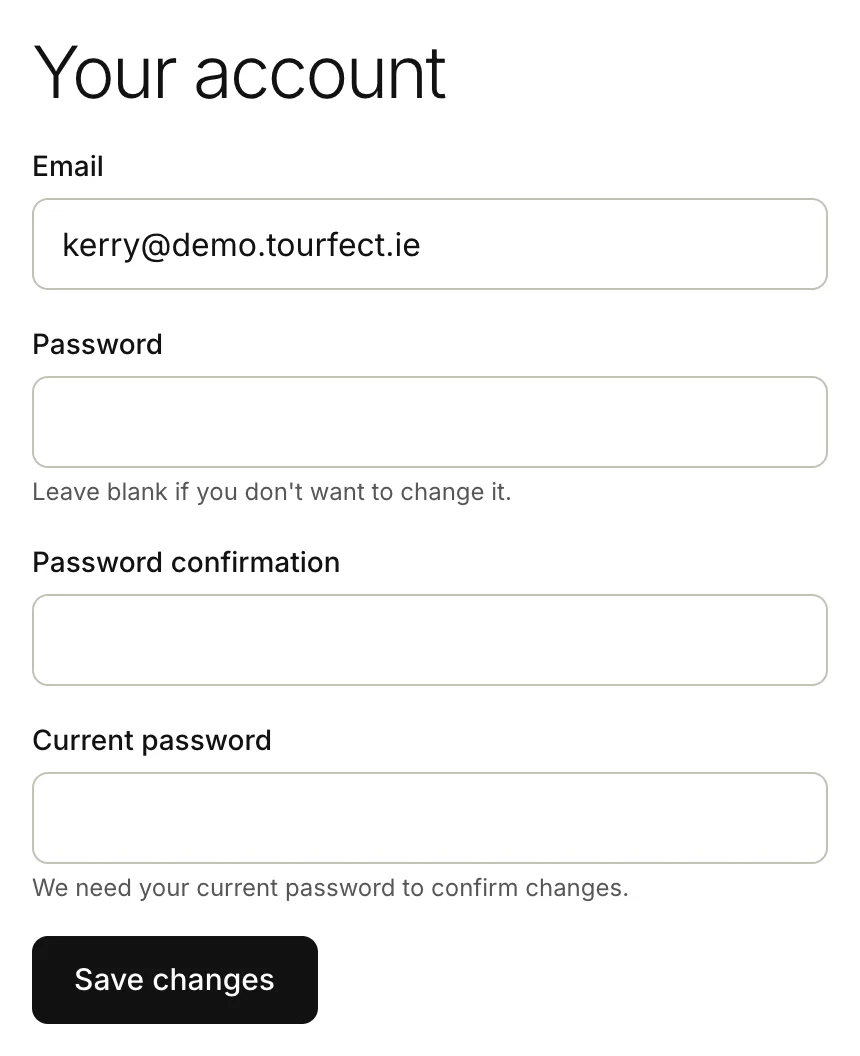
Your account is your login: the email address and password you sign in with. To open your account page, click Account at the bottom of the menu. On a phone, tap More, then Account.
Forgot your password
Start from the login page on your own Tourfect address, like yourname.tourfect.ie/users/sign_in, or on tourfect.ie. Either way, the link in the email opens on your own address.
- On the login page, click Forgot your password?
- Type your Email.
- Click Send reset instructions.
- Open our email and click the link in it.
- Type a New password, at least 12 characters long.
- Type it again in Confirm new password.
- Click Change my password.
If the email doesn’t come, check your spam folder. If the link has stopped working, ask for a new one. You can ask for a few reset emails an hour.
If you didn’t ask for a reset email, you can ignore it. Your password stays the same until someone uses the link.
Change your password
- Click Account.
- Type your new password in Password. It needs at least 12 characters.
- Type it again in Password confirmation.
- Type your Current password, to confirm it’s you.
- Click Save changes.
Change your email address
- Click Account.
- Change the address in Email.
- Leave Password blank.
- Type your Current password.
- Click Save changes.
From then on, you log in with your new address, and we send your booking requests and other emails there. Each email address can only have one Tourfect login.
Download your data
Under Download your data, click Email me a download link. We email you a link to a zip with your tours, bookings and customers as spreadsheet files (CSV). The link works for 24 hours.
Close your account
At the bottom of the page you can close your account. See Close your account.
Related articles
Still stuck? Contact us
Tell us what you're trying to do and where it went wrong. We reply by email within a working day.
Contact us