Every tour has a score out of 100 for how complete its page is. It checks what travellers look for before they book, like photos, a full description and reviews. Only you see the score: travellers never do.
Where to find it
- On Tours, each tour shows its rating and score, like Good 62.
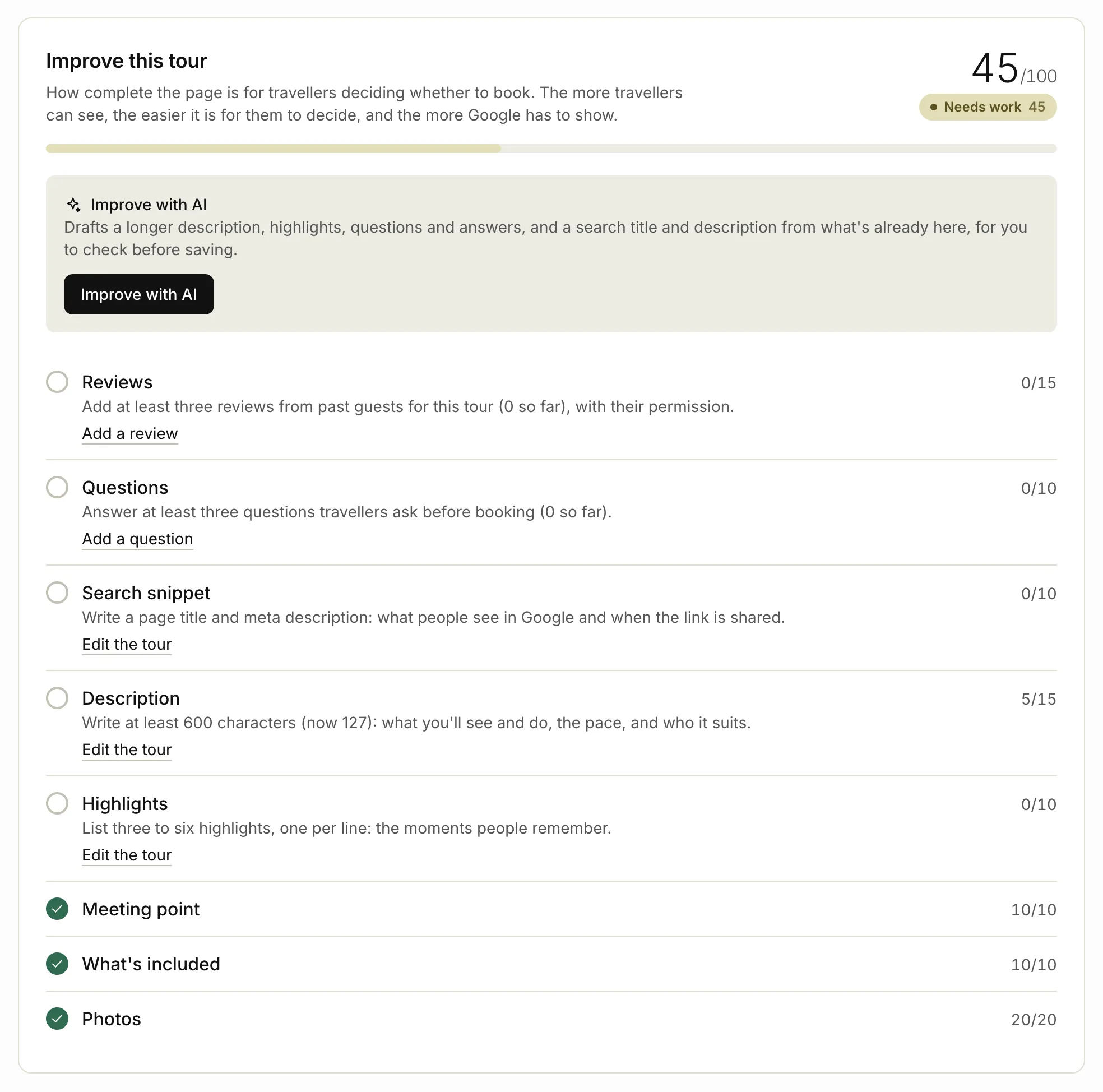
- Click a tour’s name to open its page. Improve this tour shows the score, each check, and what to do next.
The three ratings
| Score | Rating |
|---|---|
| 80 or more | Excellent |
| 55 to 79 | Good |
| Under 55 | Needs work |
What each check is worth
| Check | Points | For full points |
|---|---|---|
| Photos | 20 | 3 or more photos |
| Description | 15 | 600 characters or more: what you’ll see and do, the pace, and who it suits |
| Reviews | 15 | 3 or more published reviews of this tour |
| Highlights | 10 | 3 or more highlights |
| What’s included | 10 | at least 2 lines in What’s included, and something in Not included |
| Meeting point | 10 | a Meeting point |
| Questions | 10 | 3 or more questions and answers for this tour |
| Search snippet | 10 | a Page title and a Meta description, under Search and sharing (optional) |
Most checks give some points before they’re complete. The panel shows the points for each one, like 14/20.
Raise your score
In Improve this tour, the checks with the most points to gain come first. Each one that isn’t done has a tip and a link:
- Edit the tour opens the tour form at the right field.
- Add a question adds a question and answer for this tour.
- Add a review adds a review a past guest gave you for this tour. Ask them first.
Make your changes and save. The score updates straight away.
Only reviews you’ve published count, and only questions for this tour, not your general ones. To ask guests for reviews, see Reviews from guests.
Improve with AI
On Pro, if the description, highlights, questions or search snippet need work, Improve this tour has an Improve with AI button.
- Click Improve with AI in the panel. The tour form opens.
- Click Improve with AI at the top of the form.
- Check the drafts. They’re highlighted for you.
- Click Save changes to keep them.
AI drafts only those parts, from what’s already on the tour. Nothing is saved until you save the tour. See Writing with AI.
Related articles
- Add your first tour Add a tour with its price, times and photos, and put it live on your site.
- Reviews from guests Review requests after a tour, the three kinds of review and their badges, and replying in public.
- Writing with AI Let AI draft your tour page from rough notes, then check and edit it before you save.
Still stuck? Contact us
Tell us what you're trying to do and where it went wrong. We reply by email within a working day.
Contact us