Review requests after a tour
The day after a confirmed booking, we email the traveller once in your business’s name, asking how it went. Their review is a Verified booking review. To stop these emails, turn off review requests on Reviews.
The three kinds of review
Every review on your site has a badge, so travellers know how it was checked. Our reviews policy explains them.
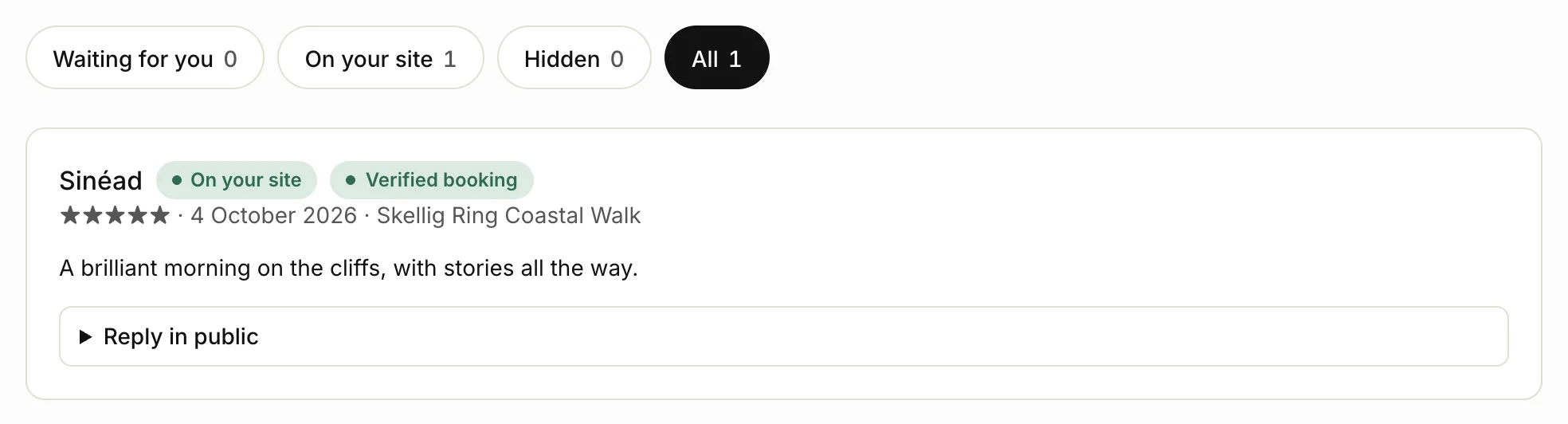
- Verified booking: written by a guest from their review link after a booking. It goes on your site straight away. You can reply in public, but you can’t hide, change or delete it. Only these reviews count towards your rating, on your site and on tourfect.ie.
- Source-checked: a review first published on Google, Tripadvisor or Viator that the Tourfect team found and checked. It shows a short excerpt, the date we checked it and a link to the original, with your overall rating on that site. You can hide it, but not change it.
- Testimonial: a review you add yourself, like one a guest emailed you. It only shows on your own site, never on tourfect.ie.
Reviews from the open form on your site (not from a booking link) wait for you to Publish or Hide them.
Add a testimonial
- Click Site content, then Reviews.
- Click Add a review.
- Fill in Guest’s name, the stars, Review and Date.
- If it first appeared on Google or Tripadvisor, choose that under Where it’s from.
- Click Add review.
Reply in public
Under any review, click Reply in public, write your reply and click Save reply. It shows under the review on your site.
Related articles
Still stuck? Contact us
Tell us what you're trying to do and where it went wrong. We reply by email within a working day.
Contact us