The reminder before a tour
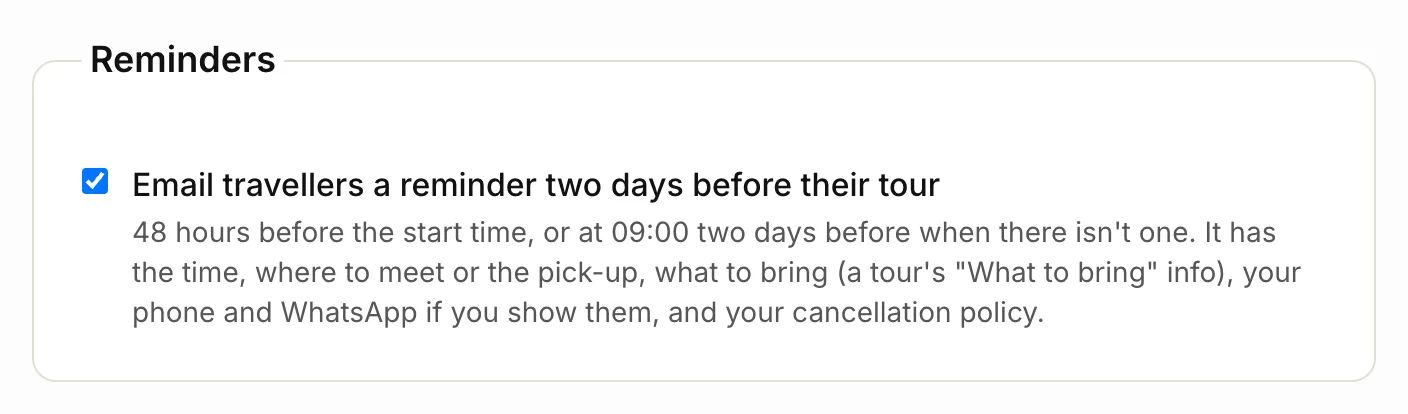
We email each traveller once, 48 hours before their tour starts. If the booking has no start time, it goes at 9am two days before. It’s sent in your business’s name and has:
- the tour, date and start time
- where to meet, or their pick-up
- what to bring, if the tour has an Additional info card with “bring” in its title (like “What to bring”)
- your phone and WhatsApp, if your site shows them
- your cancellation policy
- the link to manage their booking
Only accepted bookings get one, and not ones made after the reminder time: those travellers have only now had their confirmation.
Turn the reminder off
- Click Bookings, then Booking settings.
- Under Reminders, untick Email travellers a reminder two days before their tour.
- Click Save booking settings.
Reminders about waiting requests
If a booking request has had no answer after 24 hours, we email you “You have a request waiting”. After 72 hours, we send one last reminder. Replying to the traveller counts as an answer, so it stops the reminders.
When a request expires
If the tour date passes and a request still has no answer, we close it as Expired. It leaves your open list and shows under Closed. We send the traveller a short note to say sorry, with a link to your other tours.
Related articles
Still stuck? Contact us
Tell us what you're trying to do and where it went wrong. We reply by email within a working day.
Contact us